
Advanced Swift Architecture: Projected Values and Namespaces
Understanding how to wrap data is just the beginning of clean code. When building robust iOS applications, we must dive deeper into how variables interact with the framework layer. We need to explore secondary data access methods and understand how architectural patterns dictate memory management.
If you are scaling a professional project or optimizing your solo dev business tech stack, mastering these underlying Swift mechanics is non negotiable.
What is a Projected Value in Swift?
When a Property Wrapper is instantiated, Swift grants us access to two distinct data points from that single variable.
- WrappedValue (Standard Access): The actual underlying value we get when we simply type the variable name.
- ProjectedValue (Dollar Sign Access): A secondary helper value designed by the wrapper author, accessed by prefixing the variable with a
$.
The Ultimate Example: SwiftUI and @State
Have you ever wondered why you must prefix a variable with a dollar sign when creating a SwiftUI TextField?
Swift
struct LoginView: View {
    @State private var username: String = "Ugur"

    var body: some View {
        VStack {
            // A) Normal Read => We only need the String value. NO dollar sign.
            Text("Welcome, \(username)")

            // B) Write Access => The TextField needs to modify the variable.
            // We need a Binding type, not just a String. We USE the dollar sign.
            TextField("Username", text: $username)
        }
    }
}
Typing username triggers the wrapper to return the standard String. Typing $username triggers the projected value. Apple engineers designed this specific wrapper to return a Binding type so the interface can read and safely overwrite the state.
Adding Projected Values to Custom Wrappers
We can apply this exact logic to the custom UserDefault wrapper we built previously. Just as SwiftUI uses it to grant binding capabilities, we can use it to grant management capabilities like deleting keys. We simply tell the projectedValue to return self.
Swift
// Inside our custom UserDefault Wrapper:
public var projectedValue: UserDefault<T> {
    return self
}

// Extra capabilities accessible ONLY via the dollar sign
public func remove() {
    container.set(nil, forKey: key)
}
Now we have two completely different ways to use our setting. Calling Storage.token gets the actual value, while calling Storage.$token.remove() targets the wrapper infrastructure and wipes the key from the database completely.
The Data Validation Problem (String Trimming)
To truly appreciate property wrappers, look at data validation. Imagine a registration screen. A user accidentally adds a trailing space to their username. If we do not clean this input, our backend database queries will fail.
The legacy method required manual trimming inside every single variable assignment.
Swift
class RegisterViewModel {
    private var _email: String = ""
    var email: String {
        get { return _email }
        set { _email = newValue.trimmingCharacters(in: .whitespacesAndNewlines) }
    }
}
If you have ten form fields, you write that trimming code ten times. Forgetting it just once causes a bug in production.
The modern solution is building a @Trimmed wrapper.
Swift
@propertyWrapper
struct Trimmed {
    private var value: String = ""

    var wrappedValue: String {
        get { return value }
        set { value = newValue.trimmingCharacters(in: .whitespacesAndNewlines) }
    }

    init(wrappedValue: String) {
        self.value = wrappedValue.trimmingCharacters(in: .whitespacesAndNewlines)
    }
}

// Clean Usage
class RegisterViewModel {
    @Trimmed var email: String = ""
    @Trimmed var username: String = ""
}
Your code footprint shrinks massively. The risk of developer error drops to zero. If you use AI coding assistants for iOS development, you will notice they frequently suggest these exact structural wrappers for clean architecture.
Singletons vs Property Wrappers
Technically there is no direct structural relationship between these two concepts. They are entirely different tools solving different problems.
- The Singleton Pattern is an architectural decision governing how an object lives in memory and manages global access.
- The Property Wrapper is a language feature preventing code duplication during read and write operations.
We see them together often because Singletons usually handle global data like User Settings or Network Managers. This leads to massive boilerplate. The Property Wrapper steps in to clean up that internal class pollution.
Static Class vs Singleton Pattern in Swift
To fully grasp the evolution of Swift architecture patterns, we need to define how memory is allocated.
Static Class (Namespace):
- Does not create a living Instance in memory.
- It is a collection of functions at a compile time memory address.
- Cannot be assigned to a variable or passed as a parameter.
Singleton Pattern:
- Creates a living Instance in the Heap memory area.
- Guarantees only one single instance exists globally.
- Can be assigned to a variable and passed into functions.
The Swift Reality: Static Classes Do Not Exist
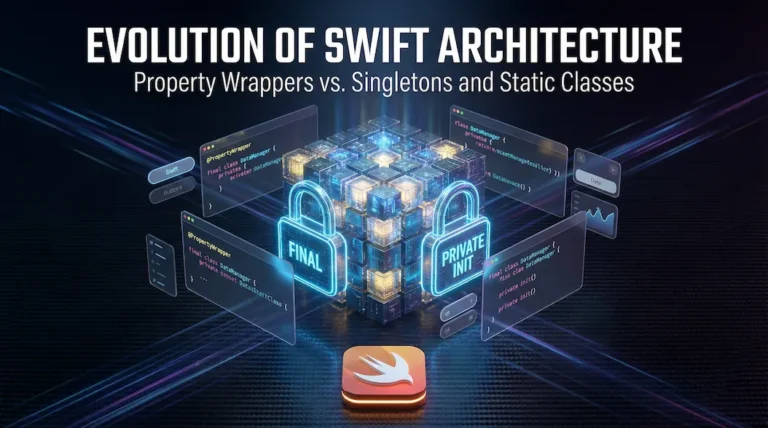
Swift syntax does not support a static class declaration. If you type it, the compiler throws a hard error. Developers hack their way around this by taking a normal class, adding the final keyword to stop inheritance, and adding a private init to stop instantiation.
The Elegant Solution: Enum Namespaces
Since Swift enums without cases cannot be initialized by nature, using an enum as a Namespace is the most architecturally sound method. It requires zero hacks.
Swift
// No init required. Enums cannot be instantiated.
enum Storage {
    @UserDefault(key: "auth_token", defaultValue: "") static var token: String
}

// Usage is identical to a class
Storage.token = "xyz"
Using enums eliminates the need for restrictive initializers. In Swift, when we talk about a Static Class, we are referring to its behavior, not its literal structure. Embracing enum namespaces is the hallmark of a true senior developer.