
The Evolution of Swift Architecture: Property Wrappers vs. Singletons and Static Classes
Why did Swift introduce Property Wrappers? We compare Legacy Manager Classes with modern Property Wrappers, explore real-world use cases like @Trimmed, and break down the architectural differences between Singletons and Static Classes in iOS.
Why Did We Even Need Property Wrappers?
Before Swift 5.1 (2019), we all survived by writing “Manager Classes.” Our code worked, and our apps didn’t crash. But to truly understand why the Property Wrapper was invented, we need to look at the three major headaches we endured while writing those old-school managers. Let’s put the legacy method and the modern method side by side to see the difference with our own eyes.
Method 1: The Legacy Manager Class (The Painful Path)
Let’s say we have three app settings: token, username, and isDarkTheme. If we write this using the classic approach, our code looks like this:
Swift
class UserManager {
    static let shared = UserManager()

    // For Token (CODE DUPLICATION)
    var token: String {
        get { return UserDefaults.standard.string(forKey: "auth_token") ?? "" }
        set { UserDefaults.standard.set(newValue, forKey: "auth_token") }
    }

    // For Username (CODE DUPLICATION)
    var username: String {
        get { return UserDefaults.standard.string(forKey: "user_name") ?? "Guest" }
        set { UserDefaults.standard.set(newValue, forKey: "user_name") }
    }

    // For Theme (CODE DUPLICATION)
    var isDarkTheme: Bool {
        get { return UserDefaults.standard.bool(forKey: "dark_theme") }
        set { UserDefaults.standard.set(newValue, forKey: "dark_theme") }
    }
}
The Problems With This Approach (Why We Abandoned It):
- Boilerplate Code: We wrote 20 lines of code just for 3 variables. If we had 50 settings, we’d be writing 300 lines of pure get/set clutter.
- Copy-Paste Errors: When copying the username block to create isDarkTheme, you might accidentally forget to change string(forKey:) to bool(forKey:). This is a massive and common source of bugs.
- Poor Readability: The actually important information (the variable’s name and type) gets completely lost inside the verbose get/set blocks.
Method 2: The Property Wrapper (The Modern Approach)
When we use the custom UserDefault structure we defined in our previous guide, that 20-line legacy code transforms into this beauty:
Swift
final class UserManager {
    @UserDefault(key: "auth_token", defaultValue: "")
    static var token: String

    @UserDefault(key: "user_name", defaultValue: "Guest")
    static var username: String

    @UserDefault(key: "dark_theme", defaultValue: false)
    static var isDarkTheme: Bool
}
Why is this Revolutionary?
- Zero Margin for Error: The get/set logic is centralized in one place. Because we aren’t rewriting it for every variable, we eliminate the chance of human error.
- When we look inside the class now, we don’t see a wall of code; we only see the Name, the Key, and the Default Value of the variable.
In summary: Property Wrappers provide incredible cleanliness by separating how the code works from what the code does.
Another Example: Form Input Cleaning with Trimmed
Scenario: We have a registration screen. A user accidentally adds a trailing space while entering their username: "ugurhmz ". We need to save this to the database perfectly clean as "ugurhmz", otherwise, they will face login errors later.
The Legacy Way:
We would manually write string-cleaning code on every variable assignment or button press. If you have 10 form fields (First Name, Last Name, Address, City…), you write this trimming code 10 times. If you forget one, you get a bug. It requires serious effort!
The Property Wrapper Way:
We create a wrapper called @Trimmed and declare: “Any text that enters this wrapper should automatically have its leading and trailing spaces cropped.”
Swift
import Foundation

@propertyWrapper
struct Trimmed {
    private var value: String = ""

    var wrappedValue: String {
        get { return value }
        set { value = newValue.trimmingCharacters(in: .whitespacesAndNewlines) }
    }

    init(wrappedValue: String) {
        self.value = wrappedValue.trimmingCharacters(in: .whitespacesAndNewlines)
    }
}
Usage:
Swift
class RegisterViewModel {
    @Trimmed var email: String = ""
    @Trimmed var username: String = ""
    @Trimmed var name: String = ""
    @Trimmed var surname: String = ""
}
The Result: Our code is shortened by 80%. We have zero chance of making a mistake. Even if we write viewModel.email = " a@b.com ", it gets saved purely as "a@b.com" in the background.
Where Are Property Wrappers Used in the Industry?
- Local Data Storage (UserDefaults & Keychain): Reading and writing user settings or tokens in a single line.
- Dependency Injection: Automatically resolving and fetching services (Network, Router, etc.), often seen as @Inject.
- Data Validation: Automatically cleaning text (@Trimmed), validating email formats, or forcing text to uppercase/lowercase.
- Value Clamping: Keeping numerical data like volume, age, or speed within a specific range (e.g., 0–100).
- Feature Flag Management: Managing mechanisms that remotely toggle app features on and off (Remote Config).
- Thread Safety (Atomic Operations): Preventing crashes when a variable is accessed from multiple threads simultaneously.
- State Management: Managing data flows that update the UI, such as @State, @Binding, and @Published in SwiftUI.
Is There a Relationship Between Singletons and Property Wrappers?
Technically, there is no direct structural or hierarchical relationship between these two concepts. They are entirely different tools solving completely different problems in software development.
- Singleton’s Responsibility (Access Management): We use Singletons to guarantee only one instance of a class is created and to make that instance globally accessible. Its focus is on reachability and uniqueness.
- Property Wrapper’s Responsibility (Behavior Management): We use Property Wrappers to package the background logic that runs when a variable is read or written. Its focus is on preventing code duplication and abstracting data processing logic.
Why Do We Often See Them Together?
Typically, we set up a Singleton structure (Manager Class) for global access scenarios like UserDefaults. However, the inside of this Singleton class gets flooded with repetitive get/set code. That is exactly where the Property Wrapper steps in to clean up the pollution inside the Singleton. They are not alternatives; they are complementary.
Static Class vs. Singleton Pattern in Swift
1. The Static Class (Namespace) Approach
A Static Class does not create an Object (Instance) in memory. It is a collection of functions at a memory address determined at Compile Time. It cannot be assigned to a variable or passed as a parameter.
Swift
final class Storage {
    // No init() is used. No object is created.
    @UserDefault(key: "auth_token", defaultValue: "")
    static var token: String
}

func usage() {
    Storage.token = "xyz" // CORRECT
    // let x = Storage // ERROR! 'Storage' is a type, not a value.
}
2. The Singleton Pattern Approach
There is a living Object (Instance) residing in the Heap region of memory. It guarantees only a single instance (shared) of the class is produced.
Swift
final class Storage {
    // This is the ONLY object living in memory (Heap).
    static let shared = Storage()

    // private init prevents anyone else from creating a second instance.
    private init() {}

    // NOTE: Variables DO NOT have 'static' anymore.
    @UserDefault(key: "auth_token", defaultValue: "")
    var token: String
}

func usage() {
    Storage.shared.token = "xyz" // CORRECT
    let myStorageInstance = Storage.shared // CORRECT
}
Can We Actually Define a Static Class in Swift?
There is no static class syntax in the Swift language. If we write final static class Storage, the Compiler will throw an error.
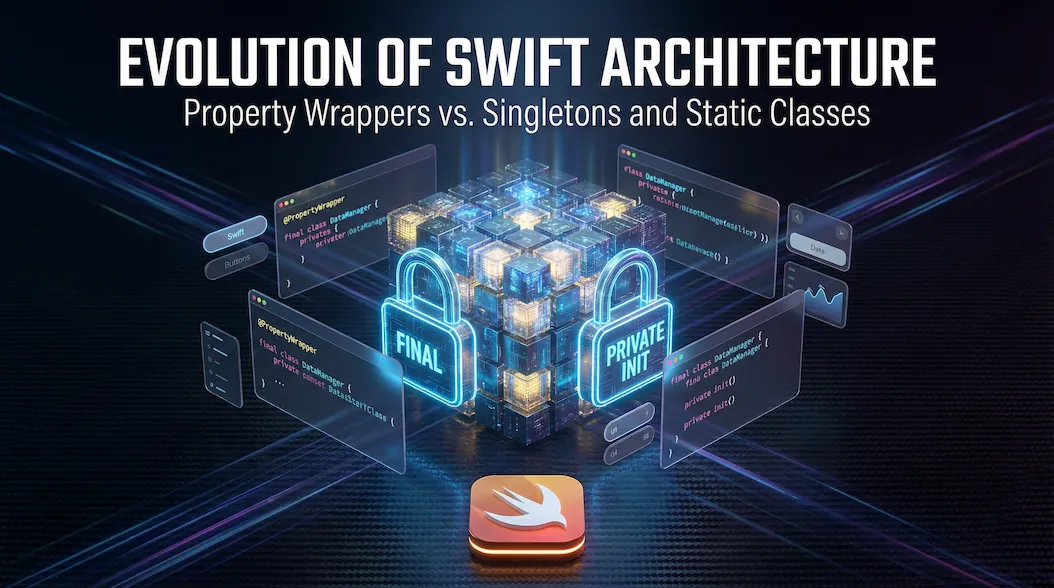
Because Swift doesn’t have a true “Static Class,” we developers take a normal Class, tie its hands, and force it to act like a Static Class. To do this, we put two handcuffs on it:
- The First Handcuff (final): “Nobody can inherit from this class.” If we don’t do this, someone could subclass your file and break its static architecture.
- The Second Handcuff (private init): “Nobody can generate an object from this class.” If we don’t do this, it becomes vulnerable to accidental object creation.
Is there a non-hacky way to do this?
Yes, by using an enum!
By their very nature, enums cannot be initialized in Swift (if they have no cases). Therefore, when creating a Namespace, using an enum instead of a final class is a much cleaner, safer, and cooler approach.
Swift
// No need to write init(). An Enum simply cannot be initialized.
enum Storage {
    @UserDefault(...) static var token: String
    @UserDefault(...) static var theme: String
}

// Its usage is exactly the same as in the class
Storage.token = "xyz"
Final Summary: There is no such thing as a static class code in Swift. We play “pretend Static Class” by using final class + private init. That is why we call it a “Static Class” based on its behavior, not its structure.






One Comment